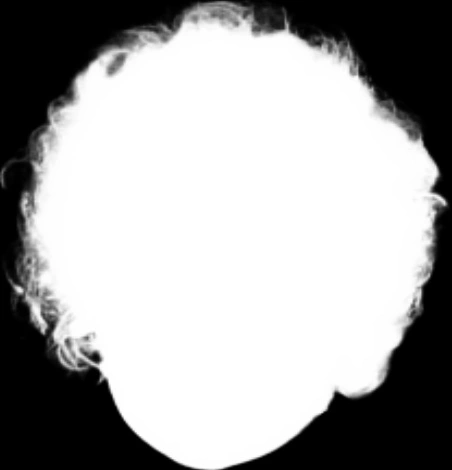
Our Head Extraction API leverages cutting-edge image recognition technology to identify and extract human faces from photos with precision. Perfect for applications in graphic design, photo editing, and more, this API outputs PNG images with transparent backgrounds, ensuring seamless integration into any project. Whether you need to enhance your user interface, automate photo processing, or create stunning visual content, our Head Extraction API provides a reliable and efficient solution. Experience superior performance and ease of use, optimized for rapid deployment and high scalability.
Extract and isolate human faces from images, delivering high-quality PNGs with transparent backgrounds through our advanced Head Extraction API.
JPEG JPG BMP PNG| Field | Required | Type | Scope | Description |
|---|---|---|---|---|
image |
YES | file |
||
return_form |
NO | string |
|
Specifies the form of the returned image.
|
Head Extraction - Endpoint Features
| Object | Description |
|---|---|
return_form |
Optional Specifies the form of the returned image. If not set, the four-channel PNG map is returned. `mask`: Returns a single channel mask. |
Request Body |
[Required] File Binary |
{"data":{"elements":[{"x":480,"image_url":"https:\/\/ai-result-rapidapi.ailabtools.com\/cutout\/segmentHead\/2024-06-29\/080352-fbf0bc4f-e60e-aaa0-b156-b3f35bba721a-1719648232.png","y":0,"height":605,"width":666}]},"error_code":0,"error_detail":{"status_code":200,"code":"","code_message":"","message":""},"log_id":"A4746D70-1F9C-59CB-95A8-C8588FCB2E93","request_id":"A4746D70-1F9C-59CB-95A8-C8588FCB2E93"}
    curl --location 'https://zylalabs.com/api/4406/head+extraction+api/5415/head+extraction' \
    --header 'Content-Type: application/json' \
    --form 'image=@"FILE_PATH"'
| Header | Description |
|---|---|
Authorization
|
[Required] Should be Bearer access_key. See "Your API Access Key" above when you are subscribed. |
No long-term commitment. Upgrade, downgrade, or cancel anytime.
Our Head Extraction API leverages cutting-edge image recognition technology to identify and extract human faces from photos with precision. Perfect for applications in graphic design, photo editing, and more, this API outputs PNG images with transparent backgrounds, ensuring seamless integration into any project. Whether you need to enhance your user interface, automate photo processing, or create stunning visual content, our Head Extraction API provides a reliable and efficient solution. Experience superior performance and ease of use, optimized for rapid deployment and high scalability.
Portrait Photography: Enhancing portrait images by isolating and extracting the subject's head from the background, ensuring a clean and focused presentation. Avatar Creation: Creating personalized avatars for social media profiles, gaming platforms, and virtual environments by extracting the user's head from a photo. Virtual Try-On: Facilitating virtual try-on experiences for hats, glasses, and other accessories by extracting the user's head and superimposing the items onto it.
Precision and Accuracy: Ensures precise extraction of the head from the background, maintaining the integrity of facial features and details. Versatility: Applicable to various types of images, including portraits, photographs, and medical imaging scans. Time Efficiency: Streamlines the extraction process, allowing for faster production of high-quality head images. Enhanced Visualization: Provides clearer and more focused representations of heads for analysis, identification, or creative purposes.
The Head Extraction API returns data in JSON format, including the extracted head images as URLs, along with their dimensions and coordinates. The response contains an array of elements, each representing an extracted head with specific attributes.
Key fields in the response include `image_url` (URL of the extracted image), `width` (image width), `height` (image height), `x` (top left x-coordinate), and `y` (top left y-coordinate). These fields provide essential information for utilizing the extracted images.
The response data is structured as a JSON object containing a `data` field, which includes an `elements` array. Each element in the array represents an extracted head with its corresponding attributes, allowing for easy access and manipulation of the results.
The primary parameter is `image`, which is required and must be a valid image file. An optional parameter, `return_form`, allows users to specify the output format, either as a four-channel PNG or a single-channel mask, enhancing customization of the response.
Users can customize requests by providing an image file in the supported formats (JPEG, JPG, BMP, PNG) and optionally setting the `return_form` parameter to receive either a full PNG or a mask. This flexibility allows for tailored outputs based on project needs.
Typical use cases include creating avatars for social media, enhancing portrait photography by isolating subjects, and facilitating virtual try-on experiences for accessories. The API is versatile for any application requiring head extraction from images.
The Head Extraction API utilizes advanced image recognition technology to ensure high accuracy in face extraction. Continuous updates and improvements to the underlying algorithms help maintain data quality and precision in the extraction process.
If users receive partial or empty results, they should check the input image for compliance with the API's requirements (size, format, resolution). Additionally, reviewing the response for error codes or messages can provide insights into any issues encountered during processing.
To obtain your API key, you first need to sign in to your account and subscribe to the API you want to use. Once subscribed, go to your Profile, open the Subscription section, and select the specific API. Your API key will be available there and can be used to authenticate your requests.
You can’t switch APIs during the free trial. If you subscribe to a different API, your trial will end and the new subscription will start as a paid plan.
If you don’t cancel before the 7th day, your free trial will end automatically and your subscription will switch to a paid plan under the same plan you originally subscribed to, meaning you will be charged and gain access to the API calls included in that plan.
The free trial ends when you reach 50 API requests or after 7 days, whichever comes first.
No, the free trial is available only once, so we recommend using it on the API that interests you the most. Most of our APIs offer a free trial, but some may not include this option.
Yes, we offer a 7-day free trial that allows you to make up to 50 API calls at no cost, so you can test our APIs without any commitment.
Zyla API Hub is like a big store for APIs, where you can find thousands of them all in one place. We also offer dedicated support and real-time monitoring of all APIs. Once you sign up, you can pick and choose which APIs you want to use. Just remember, each API needs its own subscription. But if you subscribe to multiple ones, you'll use the same key for all of them, making things easier for you.
Please have a look at our Refund Policy: https://zylalabs.com/terms#refund
Service Level:
100%
Response Time:
425ms
Service Level:
100%
Response Time:
343ms
Service Level:
100%
Response Time:
880ms
Service Level:
100%
Response Time:
553ms
Service Level:
100%
Response Time:
462ms
Service Level:
100%
Response Time:
916ms
Service Level:
75%
Response Time:
1,498ms
Service Level:
100%
Response Time:
7,660ms
Service Level:
100%
Response Time:
723ms
Service Level:
100%
Response Time:
10,154ms
Service Level:
100%
Response Time:
746ms
Service Level:
100%
Response Time:
35ms
Service Level:
100%
Response Time:
1,415ms
Service Level:
100%
Response Time:
662ms
Service Level:
100%
Response Time:
849ms
Service Level:
100%
Response Time:
6,109ms
Service Level:
100%
Response Time:
1,939ms
Service Level:
100%
Response Time:
462ms
Service Level:
100%
Response Time:
142ms
Service Level:
100%
Response Time:
1,735ms