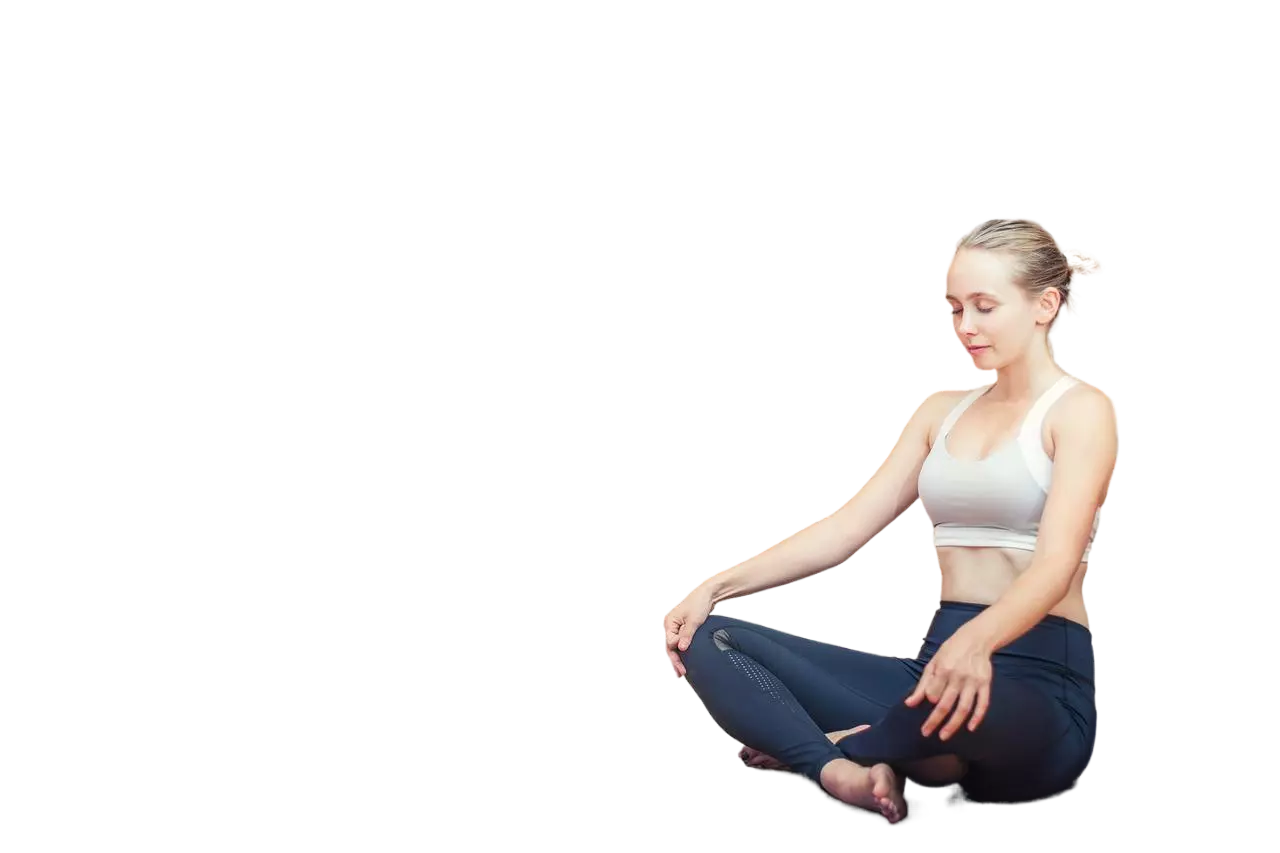
Our Human Background Removal API is engineered to accurately identify and separate human outlines from backgrounds in real-world images, providing high-quality segmented portrait images in four channels (RGBA). Ideal for applications in photo editing, digital marketing, social media content creation, and more, this API ensures clean and professional cutouts of human subjects, enhancing the visual appeal and focus of your images. Specifically designed for real-world human photos, this API is not suitable for cartoon images. By integrating our API, you can streamline your image processing workflows, enhance visual presentations, and improve user engagement. Enjoy seamless integration, exceptional performance, and high scalability with our Human Background Removal API, tailored to meet the demands of modern digital applications.
Precisely separate human outlines from backgrounds in real-world images with our Human Background Removal API, returning high-quality segmented portrait images.
JPEG JPG BMP WEBP PNG (8-bit, 16-bit, 64-bit PNG not supported)| Field | Required | Type | Scope | Description |
|---|---|---|---|---|
image |
YES | file |
||
return_form |
NO | string |
|
Specifies the form of the returned image.
|
Human Background Removal - Endpoint Features
| Object | Description |
|---|---|
return_form |
Optional Specifies the form of the returned image. If not set, the four-channel PNG map is returned. `mask`: Returns a single channel mask. `whiteBK`: Return to white background image. `crop`: Returns the four-channel PNG image after cropping (cropping out the blank areas around the edges). |
Request Body |
[Required] File Binary |
{"data":{"image_url":"https:\/\/ai-result-rapidapi.ailabtools.com\/cutout\/segmentBody\/2024-06-29\/075454-1e132e48-db32-aee8-8e42-145b92948e6d-1719647694.png"},"error_code":0,"error_detail":{"status_code":200,"code":"","code_message":"","message":""},"log_id":"388F9911-325D-591E-8363-0EC5D9E1AF45","request_id":"388F9911-325D-591E-8363-0EC5D9E1AF45"}
    curl --location 'https://zylalabs.com/api/4405/human+background+removal+api/5414/human+background+removal' \
    --header 'Content-Type: application/json' \
    --form 'image=@"FILE_PATH"'
| Header | Description |
|---|---|
Authorization
|
[Required] Should be Bearer access_key. See "Your API Access Key" above when you are subscribed. |
No long-term commitment. Upgrade, downgrade, or cancel anytime.
Our Human Background Removal API is engineered to accurately identify and separate human outlines from backgrounds in real-world images, providing high-quality segmented portrait images in four channels (RGBA). Ideal for applications in photo editing, digital marketing, social media content creation, and more, this API ensures clean and professional cutouts of human subjects, enhancing the visual appeal and focus of your images. Specifically designed for real-world human photos, this API is not suitable for cartoon images. By integrating our API, you can streamline your image processing workflows, enhance visual presentations, and improve user engagement.
Portrait Photography: Enhancing portrait images by removing distracting backgrounds, ensuring the focus remains on the subject's face and features. ID Photos and Passport Images: Editing personal photos for official documents, ensuring a clear and uniform background. Social Media Profiles: Creating professional-looking profile pictures for social media platforms by removing cluttered or unattractive backgrounds. Family and Group Photos: Editing family or group photos to remove distractions and improve the overall composition. Event Photography: Enhancing event photos by removing unwanted backgrounds, creating cleaner and more polished images.
Enhanced Visual Focus: Removes distractions from the background, directing attention to the human subject. Professional Presentation: Provides clean and polished images suitable for various purposes, including personal use, professional profiles, and official documents. Time Efficiency: Streamlines the editing process, allowing for faster production of high-quality human images. Flexibility in Design: Enables customization of backgrounds or integration into different settings for creative purposes. Versatility: Applicable to various types of human images, including portraits, group photos, and event photography.
The API returns high-quality segmented portrait images in various formats, including a four-channel PNG image by default. Users can also request a single-channel mask, an image with a white background, or a cropped version of the image.
The response data includes fields such as `request_id`, `log_id`, `error_code`, `error_msg`, and `data`. The `data` field contains the `image_url`, which is the URL of the processed image.
The response data is structured in a JSON format, with a top-level object containing public parameters and a `data` object. The `data` object specifically holds the `image_url` for accessing the processed image.
The endpoint accepts two parameters: `image`, which is required and must be a supported image file, and `return_form`, which is optional and allows users to specify the desired output format (e.g., `mask`, `whiteBK`, `crop`).
Users can customize their requests by selecting the `return_form` parameter to specify how they want the output image processed. For example, they can choose to receive a mask or an image with a white background instead of the default PNG.
The API provides information related to human segmentation in images, including the processed image URL and error codes for troubleshooting. It focuses on accurately separating human outlines from backgrounds in real-world photos.
Users can utilize the returned `image_url` to download the processed image for use in various applications, such as photo editing or social media. It's important to download the image within 24 hours, as the URL expires after that period.
Typical use cases include enhancing portrait photography by removing backgrounds, creating professional ID photos, and preparing images for social media profiles. The API is designed to streamline these processes and improve image quality.
To obtain your API key, you first need to sign in to your account and subscribe to the API you want to use. Once subscribed, go to your Profile, open the Subscription section, and select the specific API. Your API key will be available there and can be used to authenticate your requests.
You can’t switch APIs during the free trial. If you subscribe to a different API, your trial will end and the new subscription will start as a paid plan.
If you don’t cancel before the 7th day, your free trial will end automatically and your subscription will switch to a paid plan under the same plan you originally subscribed to, meaning you will be charged and gain access to the API calls included in that plan.
The free trial ends when you reach 50 API requests or after 7 days, whichever comes first.
No, the free trial is available only once, so we recommend using it on the API that interests you the most. Most of our APIs offer a free trial, but some may not include this option.
Yes, we offer a 7-day free trial that allows you to make up to 50 API calls at no cost, so you can test our APIs without any commitment.
Zyla API Hub is like a big store for APIs, where you can find thousands of them all in one place. We also offer dedicated support and real-time monitoring of all APIs. Once you sign up, you can pick and choose which APIs you want to use. Just remember, each API needs its own subscription. But if you subscribe to multiple ones, you'll use the same key for all of them, making things easier for you.
Please have a look at our Refund Policy: https://zylalabs.com/terms#refund
Service Level:
100%
Response Time:
228ms
Service Level:
100%
Response Time:
213ms
Service Level:
100%
Response Time:
182ms
Service Level:
100%
Response Time:
39ms
Service Level:
100%
Response Time:
561ms
Service Level:
100%
Response Time:
75ms
Service Level:
100%
Response Time:
1,692ms
Service Level:
100%
Response Time:
1,971ms
Service Level:
100%
Response Time:
293ms
Service Level:
100%
Response Time:
2,084ms
Service Level:
100%
Response Time:
3,976ms
Service Level:
100%
Response Time:
756ms
Service Level:
100%
Response Time:
538ms
Service Level:
100%
Response Time:
1,172ms
Service Level:
100%
Response Time:
840ms
Service Level:
100%
Response Time:
4,465ms
Service Level:
100%
Response Time:
2,310ms
Service Level:
100%
Response Time:
2,010ms
Service Level:
100%
Response Time:
2,145ms
Service Level:
100%
Response Time:
534ms